
Features
The full feature list
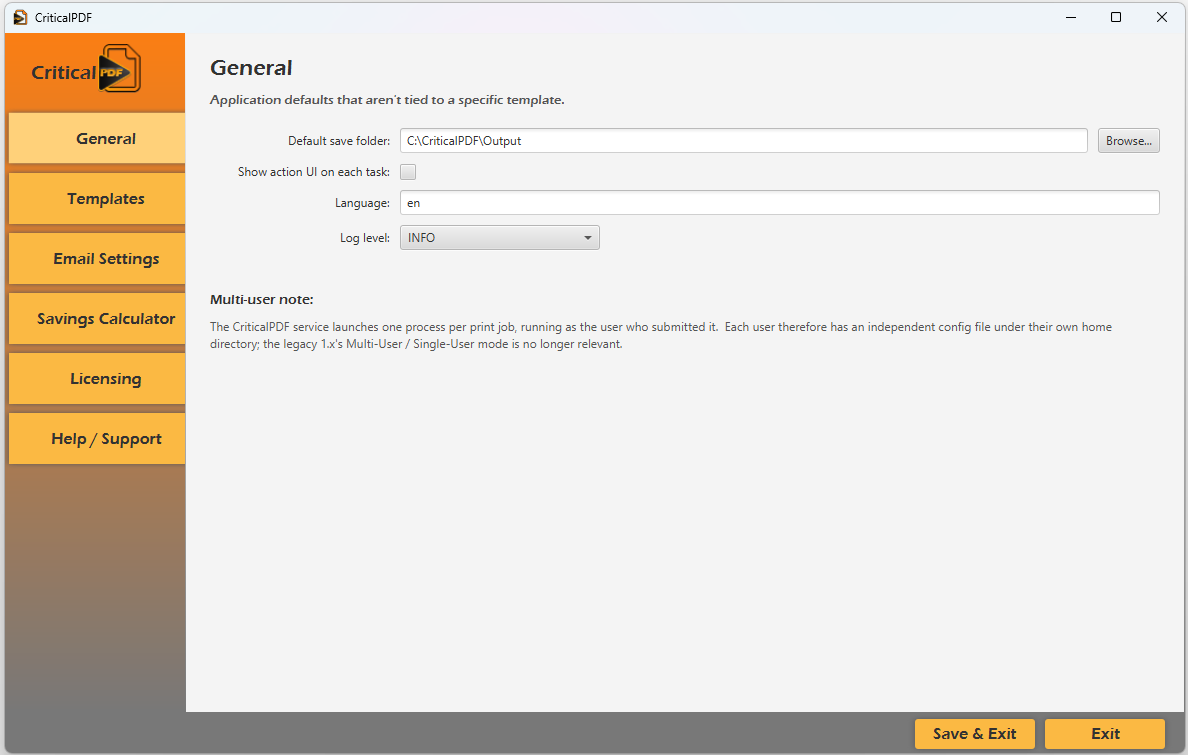
CriticalPDF is four things wearing a trench coat: a virtual printer, a background service, a desktop app, and a template engine. Together they turn any Windows print job into a routed, tracked, and (if you like) encrypted PDF.
Jump to a section using the navigation below, or scroll through the whole tour.
Capture & templates
How captures work
The virtual printer sits in your Windows print dialog like any other printer. When you print to it, the capture flows into the desktop app and templates take over from there.
Capture from any printer
Print from Word, Outlook, Chrome, AutoCAD, or your line-of-business app. There's no "Save As PDF" extra step and no plugin to install per application.
Per-document-type templates
Define a template for each kind of document you produce: invoices, discharge summaries, statements, receipts, work orders. CriticalPDF reads the captured text and routes it through the matching template automatically.
Text-driven variable substitution
Templates pull values out of the document itself. <1>...<49> markers in subject lines, file names, and email bodies are replaced with text matched from the PDF. Same template handles every customer / patient / order.
Action-aware UI
Pick "Email only" and the print section greys out with an explanation. No mismatched configurations, no silent misconfigs.
Process whole print runs in one go
Add an <end> marker wherever one document ends and the next begins. CriticalPDF splits the captured job at every marker and runs each sub-document through its own template match, variable substitution, and destination. It's the intended path for billing systems, statement runs, or mail-merge output. A confirmation dialog summarises what's about to fire before the batch runs.
Per-document text substitution at scale
Inside each split document, <1>VALUE</1> through <49>VALUE</49> pairs are extracted and substituted into the matching template's filename, subject, body, and recipient. One <1>customer-name</1> per document is enough for every output to get its own personalised destination without any per-document setup.
Destinations
Where captures can go
Every template picks its own actions. Save the PDF to a folder, send it to a real printer, email it, or any combination. The Ask each time mode is for jobs that need a human to decide.
Save, print, email, or all three
Templates can save to a folder, send to a physical printer, email as an attachment, or any combination. "Email or print" and "ask me each time" modes handle the edge cases.
Multi-provider email built in
Gmail (Google OAuth2 / XOAUTH2), Microsoft 365 (MSAL OAuth2), custom SMTP for your own mail server, or the Computer Team hosted relay. Switching between them doesn't need any template edits.
Rich-text email bodies
Templates support HTML email bodies with an in-app rich-text editor: formatted signatures, headers, and the rest. Plain-text mode is also available for systems that prefer it.
Smart attachments
Attach the generated PDF, attach a separate copy with a different file name, or attach additional files from disk. All of it is configured on the template.
Security & compliance
PDF security
Encryption is set per template, so each output goes out with the permissions its recipient should have. SMTP passwords and OAuth tokens are stored in the Windows Credential Manager instead of the config file.
Granular encryption permissions
Per template, control exactly what recipients can do: print, print at degraded quality, copy/select text, modify content, fill forms, extract text and images, assemble pages. Owner and user passwords stored separately.
Strong key handling
AES encryption with selectable key lengths (128 or 256). Encryption passwords are configured per template, and dead-lettered captures are sealed with a random per-install key.
Secrets in the Windows Credential Manager
SMTP passwords and OAuth refresh tokens are never written to config.json. They go into the Windows Credential Manager, DPAPI-encrypted and scoped per user. The config file stays free of plaintext credentials.
Privacy-respecting by design
An in-app privacy section tells you exactly where data lives, what's encrypted, what touches the network, and how to delete it. No hidden analytics, no third-party trackers.
Diagnostics with redaction
"Send diagnostics" packages recent logs, a redacted copy of your config (secrets stripped), and an environment summary into a zip, then pre-fills your default mail client. Support gets what they need; you don't accidentally send anything sensitive.
Reliability
Reliability
Bad networks, low disk, an upgrade in the middle of a print, a user who wasn't signed in when their capture landed. CriticalPDF is built to hold onto captures until it can deliver them.
Atomic file writes
Config, stats, and templates are written via temp-file-plus-atomic-rename. A crash or pulled cable can't leave a half-written file behind.
Cross-process locking
Concurrent print jobs increment usage counters without overwriting each other. None of the "second writer wins" bugs that plague counter files.
Dead-letter queue
If a delivery or post-process step fails, the job is preserved on disk and retried on a schedule. You don't lose captures because the mail server hiccuped.
Offline license grace
Periodic license re-verification with a configurable grace window. A network outage doesn't downgrade your status; the last successful verification is honored. The cached result is HMAC-protected, so it can't be hand-edited to forge or extend a license.
Hybrid spooler monitoring
Native Win32 change notifications for sub-second response, plus an unconditional 1-second EnumJobs poll as a safety net. Won't miss a job even if Windows drops a notification.
Auto-restart on failure
The service is SCM-configured to restart at 5s, 10s, and 30s on any unexpected crash. Recovery happens before anyone notices.
Background service
The Windows service
A small self-contained executable that captures every print, attributes it to the right user, and stays running under whatever the OS throws at it.
Encrypted dead-letter recovery
When the UI app isn't reachable, jobs are sealed into an AES-256-CBC + HMAC-SHA256 envelope on disk. Nothing is lost to a transient delivery failure.
Automatic replay on user login
Dead-lettered jobs retry whenever the originating user becomes available. Print at 3 PM, leave, log back in the next morning, and the job delivers itself.
Self-healing virtual printer
Detects when the printer has been removed and recreates it from scratch (driver, port, registry tweaks, spooler restart) without operator intervention.
Graceful shutdown for upgrades
When the MSI signals a stop, the service drains in-flight captures and handoffs (up to 55 seconds) so an upgrade never truncates a print job mid-delivery.
Per-install encryption keys
Every fresh install generates a unique 32-byte random key. No shared secrets across machines.
User-context delivery
Print data is piped to the post-process app as the user who originated the job (via CreateProcessAsUser with an anonymous stdin pipe), so file permissions and audit trails reflect who actually printed.
Loopback-only management API
The UI integration HTTP API binds to 127.0.0.1 only and is never accessible from the network.
Configurable data retention
Unrecoverable captures are automatically deleted after a configurable retention period (default 7 days) to satisfy data-protection requirements.
Measure the value
Tracking what you save
The app records what it processes and computes how much paper mail you've avoided. Set your unit costs once, then check the totals whenever you need them.
Built-in savings calculator
Configure your per-job costs (stamps, envelopes, paper, toner, labor) once. CriticalPDF reports avoided paper-mail spend over 7 days, 1 month, 6 months, 1 year, or year-to-date.
Per-day usage stats
Print jobs, pages processed, emails sent, pages printed, PDFs saved. Lifetime totals and windowed views are both available. Useful for departmental billing or sizing a deployment.
Live counters via local API
Per-day and lifetime tallies of jobs captured, bytes captured, successful handoffs, dead-letters, and replays. All ready to render in a dashboard.
Admins & operators
For operators
Logs you can actually read. Panels that show real service state. A few common admin tasks are one click away.
In-app log viewer
Filter by severity, search by substring, follow the tail. Same logs rotate to disk for offline review.
Service health panel
SCM state, version, uptime, last capture, last handoff success, last dead-letter, and last replay are all visible without leaving the app.
Structured Windows Event Log
Stable, documented Event IDs across five categories: lifecycle (1xxx), jobs (2xxx), updates (3xxx), recoverable issues (4xxx), and operator-action-required (5xxx). Integrates cleanly with SCOM, Datadog, and Splunk.
Rolling daily logs
Diagnostic file logs at C:\ProgramData\CriticalPDF\logs\ with automatic 14-day retention.
Trial mode with email verification
Prospects self-issue a trial license from inside the app. No support ticket round-trip.
Open license seat release
Moving CriticalPDF to a new machine? One click returns your seat to the pool from the old install.
Pre-flight disk-space checks
Refuses new print jobs (with a clear EventLog entry) before the drive runs out of space, instead of failing mid-capture.
Template import / export
Ship a curated template to a new install via a single .cpdf file. Name collisions are auto-suffixed; malformed entries are skipped. No partial-state imports.
Installer & deployment
Installer and deployment
One signed MSI installs the app, the service, and the virtual printer, plus every runtime they need. From then on the service handles updates.
One-click deployment
A single MSI installs everything: the application, the background service, and the virtual printer. Nothing else to download or configure.
No external dependencies
Every runtime CriticalPDF needs ships inside the MSI. Nothing to install alongside it, nothing to keep patched separately, no version drift across machines.
Zero-configuration virtual printer
The installer registers the CriticalPDF virtual printer for you and configures it with sensible defaults. There's no printer setup step for the user.
Silent enterprise deployment
Standard MSI works with Group Policy, SCCM, Intune, and any other deployment tool. Supports msiexec /quiet for fully unattended installs.
Works on any Windows language
Installs cleanly on English, Spanish, German, Japanese, or any other Windows locale. No dependency on language-specific system scripts.
Clean install, clean uninstall
Installs to Program Files with a Start Menu shortcut. Uninstall removes everything: application, service, virtual printer, and all registry entries. No leftovers.
Manifest-driven auto-update
The service checks a versioned manifest on startup and every 24 hours. Updates download and install silently, so a machine never sits several releases behind.
Multiple release channels
Public, beta, and internal, each with its own manifest. Staged rollouts are configuration-only.
Hash-verified updates
Every release manifest carries the MSI's SHA-256. The service verifies the downloaded file against the manifest before applying, and a mismatch fails closed so the existing version keeps running. A .sha256 sidecar is also published for manual verification.
Retry-with-backoff on transient failures
A flaky internet connection doesn't kill the update path. The service retries three times (at 30s, 5m, and 15m) before giving up until the next check cycle.
Open-source attribution
Third-party license texts are bundled in THIRD-PARTY.txt and accessible from the Help page. Useful for enterprise procurement reviews.
Try it on one machine first
The 30-day trial unlocks every feature on this page from your first install. After that, the suite is $149 per user per year, with volume discounts starting at 5 seats.